
Download and install
This page is for people who downloaded the EvidentlySo Android app from our website.
Before you start
You need an Android phone with Android 7.0 or newer. Phone requirements
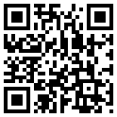
Open this page on your Android phone.
Scan the code with your phone’s camera, or go to evidentlyso.com/support/install. EvidentlySo installs on Android phones only.
Open the Download page in Chrome on your Android phone. If you opened it from Gmail or a text, tap ⋮ (top right), then Open in Chrome browser.
Download and install
-
On your phone, open the Download page in Chrome and tap Download for Android.
-
Chrome says “File might be harmful”. Tap Download anyway.
-
When it says “File downloaded”, tap Open.
-
Android says this source isn’t allowed. Tap Settings.
-
On “Install unknown apps”, turn on Allow from this source.
-
Tap ← (top left).
-
On “Do you want to install this app?”, tap Install.
-
If Play Protect says “App scan recommended”, tap Scan app, then Install.
-
On “App installed”, tap Open. Setup starts.
Still stuck? Contact support.